Powerline Networking Homeplug Network without wires better than wireless
  
  home | products | search | checkout | contact | terms & conds   
 
  QUESTIONS    


Secure purchasing of powerline networking homeplug networking adaptors and accessories

Some of our most
popular products

PL-85 Powerline
Network Adaptor

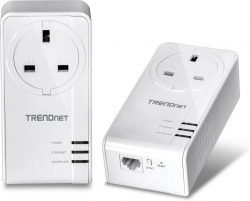
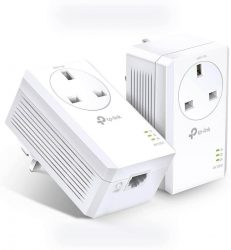
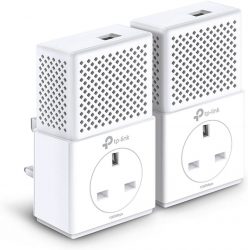
PL85 Powerline Network Homeplug Ethernet networking adaptor

PL-85 Powerline
Network Starter Kit

PL85 Powerline Network Homeplug Ethernet twin pack networking starter kit

PL-85 Wireless
Powerline Network Adaptor

PL85pew Wireless Powerline Network Homeplug Ethernet networking adaptor

Audio & Video
for Home and Office

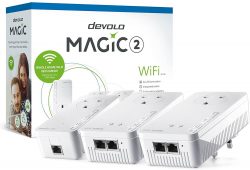
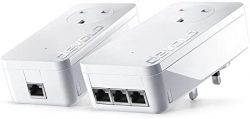
Devolo dlan duo powerline network homeplug ethernet networking adaptors allow you to distribute audio, video and other multi-media signals around your home or office

Cat5 and Cat6
Network Cables

Cat 5e and  Cat 6 Ethernet Network Cables

Netgear PS121
USB Print Server

Use this device to share USB printers on the network without needing them to be connected to a PC


Some of our most
popular suppliers

Devolo products enable you to use your homeplug powerline ethernet network for distributing sound and video signals around your home and office as well as data

DrayTek is a leading producer of Routers Firewalls UTM and other networking products

Netgear products include network switches, powerline adapters, network connectors, routers, printer servers and much much more. If you need it for your network there is a good chance that Netgear makes it!

Solwise is a powerline ethernet networking specialist producing a wide range of high quality, best value powerline adapters


we accept Visa and Mastercard on our Secure Server or you can use Paypal or you can arrange a funds transfer (bank details on Contact page) or even send us a cheque (£'s Sterling only, please) 
 

Frequently Asked Questions


Powerline Networking Technology - The Perfect Example of Plug and Play

Feel free to phone or email us with any queries you may have with Powerline Network or Homeplug technology. We can't guarantee to have the answer every time but we'll do our best. Please check to see if your query is answered in the Frequently Asked Questions below first though.

Questions

bullet

We already have an Ethernet network with cat5 cabling but want to add a few other users. Is Powerline networking able to achieve this for us?

bullet

Can I combine a cable network, Powerline network and wireless?

bullet

Does Powerline networking only work with PCs?

bullet

Can I access the Internet using a Powerline network?

bullet

How easy is it to set up a Powerline Network?

bullet

Do I need any special cables?

bullet

How does Powerline Networking compare for speed with traditional networks?

bullet

How does Powerline Networking compare for speed with wireless networks?

bullet

Is Powerline Networking more reliable than wireless?

bullet

Is Powerline networking secure?

bullet

I’m running low on wall sockets so will Powerline networking work through electrical extension blocks or a powerstrip?

bullet

Does Powerline networking interfere with any other devices on the ring main?

bullet

Can I use Powerline networking for VOIP?

bullet

I see this technology referred to as Homeplug and Powerline networking. What is the difference?


Answers

We already have an Ethernet network with cat5 cabling but want to add a few other users. Is Powerline networking able to achieve this for us?

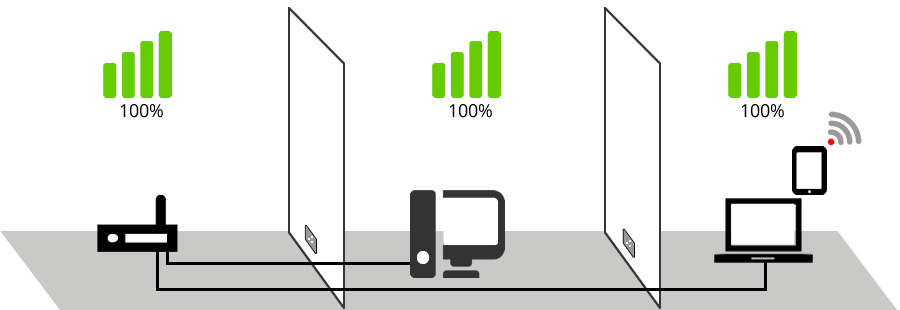
If you want to extend your network but don’t want the hassle of installing extra network cables or to suffer from the unreliability of wireless then Powerline Networking offers a reliable alternative to you.

Can I combine a cable network, Powerline network and wireless?

Yes. A Powerline Network can connect with all the types of Ethernet Network which are in common use in offices and houses today.

Does Powerline networking only work with PCs?

Powerline Networking works with PCs running Windows or Linux, Apple Macs, File Servers, games consoles and many other devices.

Can I access the Internet using a Powerline network?

Yes you can connect to the internet using Powerline Networking. You can either connect to the existing Ethernet network which incorporates your router, the RJ45 network port on your existing router if it has one, or you can buy a router which is specially designed to run with a Powerline Network or existing Ethernet network.

How easy is it to set up a Powerline Network?

Setting up a Powerline Network could not really be any easier. You take the adaptors out of their boxes, plug them in to wall sockets and switch on. After a few seconds the units will find each other and form a link. You will need to connect the network port of your computer to the network port of the Powerline Network adaptor with a network cable (which are usually supplied with the units) and providing the network settings have been correctly configured on your computer you're finished. That's all there is to it.

Do I need any special cables?

You don't need any special cables or equipment. Most Powerline Networking Adaptors are supplied with a 1.8mtr network cable (Delta PC ones certainly are, anyway). If your computer equipment is further away than that you just need to use a longer network cable which you can order from ourselves, click here.

How does Powerline Networking compare for speed with traditional Ethernet networks?

An 85Mbps Powerline Network is not noticeably slower that a traditional 100Mhz network in normal circumstances. If you were to move huge amounts of data around it would probably take a little longer than on a dedicated Ethernet network, but for what most people would consider “normal” use (opening Word documents, browsing the internet, dealing with emails, digital photographs, etc) you would notice very little, if any, difference using Powerline Networking.

How does Powerline Networking compare for speed with wireless networks?

Powerline Networking is faster than Wireless networking in the vast majority of cases, and the speed difference is quite considerable most of the time.

Is Powerline Networking more reliable than wireless?

Yes, greatly so!!

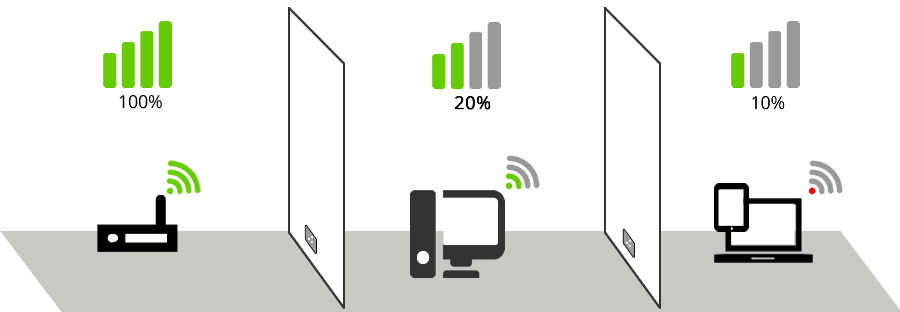
The reliability of a wireless network is greatly affected by the number and thickness of walls and ceilings the radio signal is expected to travel through. Many users experience drop-outs, or very slow connections due to those factors where as a powerline network will remain unaffected. Powerline Networking, in our experience, is considerably more reliable than wireless networking in many cases.

Is Powerline networking secure?

A Powerline Network is as secure as most other wired network systems and more secure than many wireless systems. The network system “stops” at the electricity meter so nobody outside your ring main can connect whilst those inside can use it in the same way as any other Ethernet system with user names, passwords, etc.

I’m running low on wall sockets so will Powerline networking work through electrical extension blocks or a powerstrip?

Powerline Networking will usually operate through a power strip although its speed is reduced a little. It’s impossible to state by how much because different types and sizes of power strip produce different effects but we’ve yet to see one that completely fails to connect. It is not ideal though, and power blocks with built in UPS or line filters will prove particularly problematic and should be avoided.

Does Powerline networking interfere with any other devices on the ring main?

In our experience of supplying, installing and using Powerline Network adaptors ourselves we’ve never come across any problems with interference either caused by or to other devices which are plugged in.

Can I use Powerline networking for VOIP?

VOIP works very well on a Powerline Network.

I see this technology referred to as Homeplug and Powerline networking. What is the difference?

Homeplug and Powerline Networking refer to the same technology. When this technology was being developed it was envisaged that it would appeal to home users much more than office users although, as it has turned out, it has proved to be just as useful and reliable for thousands of offices and businesses. The HomePlug Powerline Alliance is an industry consortium which was established to provide a forum for the development of an open specification of home powerline networking products and services. In June 2001, the Alliance released the HomePlug 1.0 powerline home networking specification, providing a robust, field proven industry specification upon which HomePlug member companies will build compatible products to enable the connected home and the development has continued from there.

Illustrations and Examples

Small Network of 2 PCs and 1 printer networked with Powerline Network Adaptors
Illustration of small network connected using Powerline Network Adaptors. Powerline Networking makes it very easy to establish and expand a small network.

Add a Broadband Modem or a Router, and another Powerline Network Adaptor
for shared internet access for the network.
Add a Broadband Modem or a Router, and another Powerline Network Adaptor

Adding another PC to the network is as simple as plugging in another
Powerline Network Adaptor.
Adding another PC to the network is as simple as plugging in another

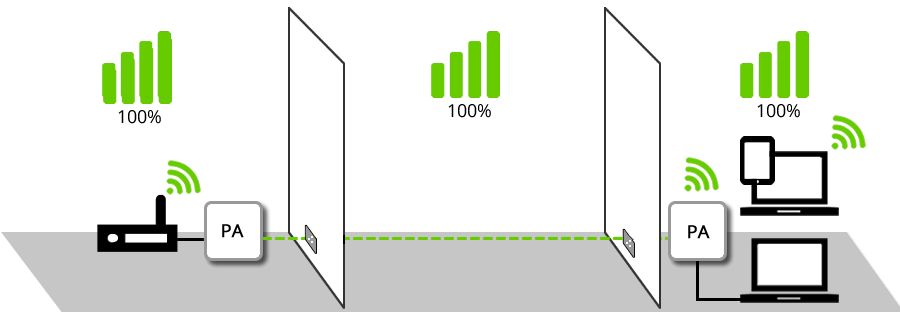
In the example shown below, the Laptop PC shown above would really struggle to connect
to the network wirelessly through the thick concrete floor, but it is made very simple by adding
a Powerline Networking Wireless Access Point as shown.
A Powerline Wireless Network Adaptor makes even the most difficult wireless situations much more reliable.

The illustrations above show how a simple 2 user network can be upgraded and enlarged to offer shared network printing, shared internet access and extended so that it works through thick concrete or stone walls without the installation of a single piece of Cat 5 or Cat 6 network cable (save for the short patch leads).

The offices illustrated above could just as easily be rooms in a house, classrooms in a school, temporary rooms in a conference centre or anywhere else where a speedy, reliable and secure network could be required. Likewise, the PCs shown could easily be Apple Macs (one is, in actual fact!), file servers, media servers or games consoles in the home.

Powerline Networking is the very essence of Plug and Play simplicity.

Here are some of our most popular items
 
Broadband Router SAR-605EH
Price (exc vat): £43.47
Price (inc vat): £49.99
Netgear HDXB101 HD Powerline AV Ethernet Starter Kit
Price (exc vat): £94.70
Price (inc vat): £108.99
Cat 6 Ethernet Network Cable
Price (exc vat): £0.00
Price (inc vat): £0.00
View Cat 6 Ethernet Network Cable
Netgear FS726T 24 Port ProSafe Smart Fast Ethernet Switch w/2 Gigabit Ports
Price (exc vat): £112.17
Price (inc vat): £128.99

Shopping cart  Shopping cart
0 Product(s) in cart
Total £0.00
» Checkout

NEWS THIS MONTH


High Quality Fujitsu Siemens Esprimo PCs Esprimo Mobiles and Econel File Servers
We offer some superb, high quality PCs from Fujitsu Siemens on our Main Site at Delta PC

Powerline Networking Homeplug Network without wires better than wireless
Head Office
Unit 2 Camelot Court
Bancombe Road,
Somerton, Somerset
TA11 6SB

Tel: 01458 270027
Tel:
01823 210019
Tel: 01278 550009
Tel: 01935 310069

Fax: 01458 270080
Email us for information about powerline networking and powerline network adaptors - the convenient and reliable alternative to wireless networking

Copyright ©
2005-2008
Powerline Network


Buy Powerline Networking Equipment and Homeplug Network Equipment from Delta PC using a credit card, BACS, Paypal or you can even send us a cheque.
 
Buy Powerline Networking Equipment and Homeplug Network Equipment from Delta PC using a credit card, BACS, Paypal or you can even send us a cheque.
 
part of the
Delta PC group